Free Image to Prompt Generator - AI Bulk Generator Extension for Chrome & Edge
Have you ever scrolled through a website, stumbled upon a breathtaking piece of digital art, and wondered, "What exact prompt did they use to create this?"
As generative AI platforms like Midjourney, DALL-E 3, and Recraft continue to redefine digital creativity, the ability to write precise, high-converting prompts has become the ultimate superpower for artists. However, manual prompt engineering through trial and error can swallow hours of your precious time.
What if you could instantly scan an entire webpage, extract all its visual assets into a clean grid, and reverse-engineer every single image into a highly detailed AI text prompt with just one click?
Enter Image to Prompt Generator - AI Bulk Generator by MicrostockerPro—the most powerful browser extension designed to bridge the gap between visual inspiration and flawless AI re-creation.
🚀 Why Creators Choose MicrostockerPro?
Unlike basic single-image extraction tools that force you to download and re-upload files one by one, our extension is engineered around a seamless, batch-driven professional workflow.
Whether you are a professional microstock contributor tracking competitor trends, a commercial digital artist, or an AI hobbyist looking to master complex visual styles, this tool brings enterprise-grade automation straight to your web browser. It is built for raw speed, high precision, and massive bulk productivity.
✨ Key Features & Capabilities
The extension acts as a central hub for prompt discovery and asset organization. Here is what makes it a game-changer:
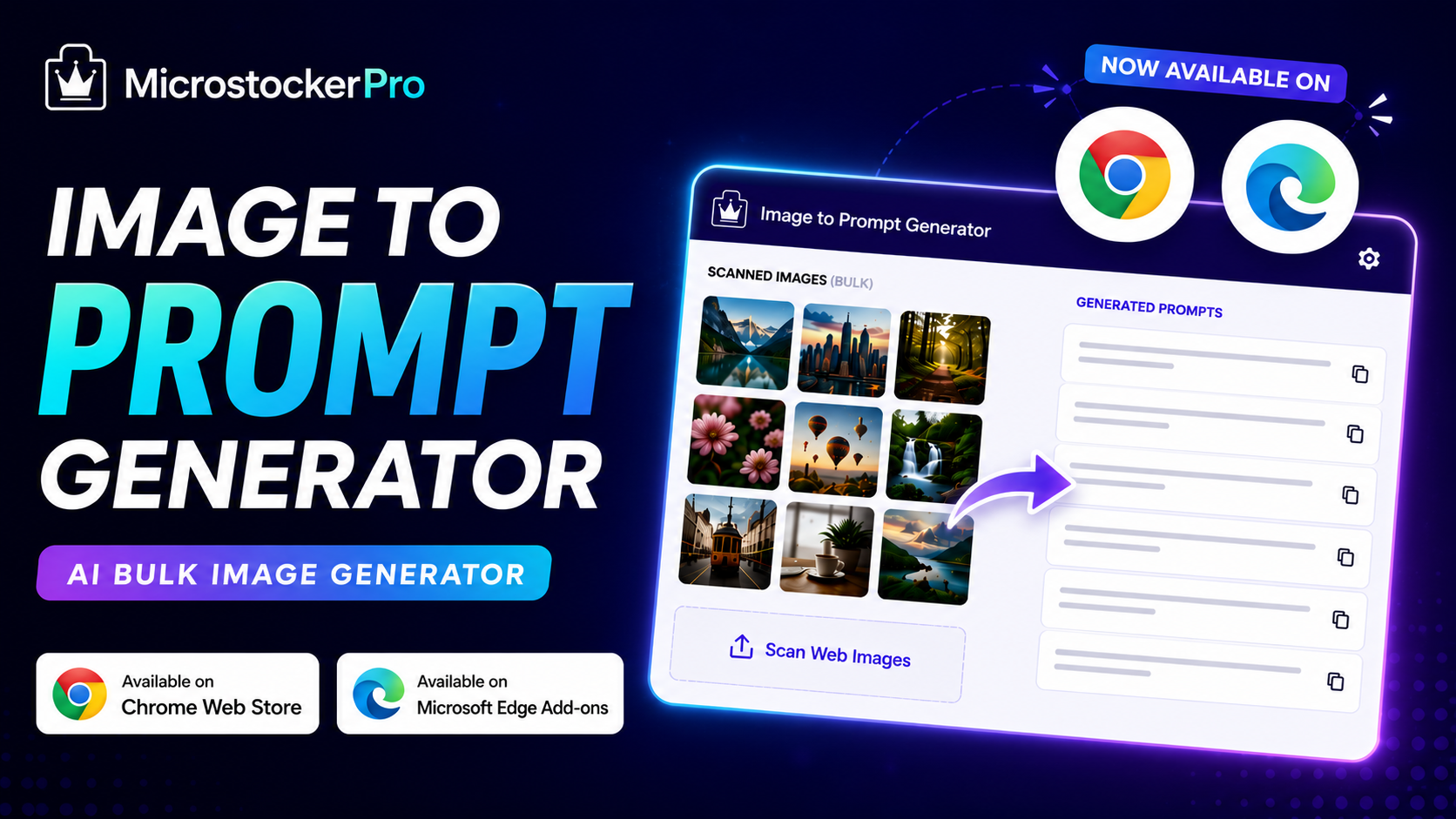
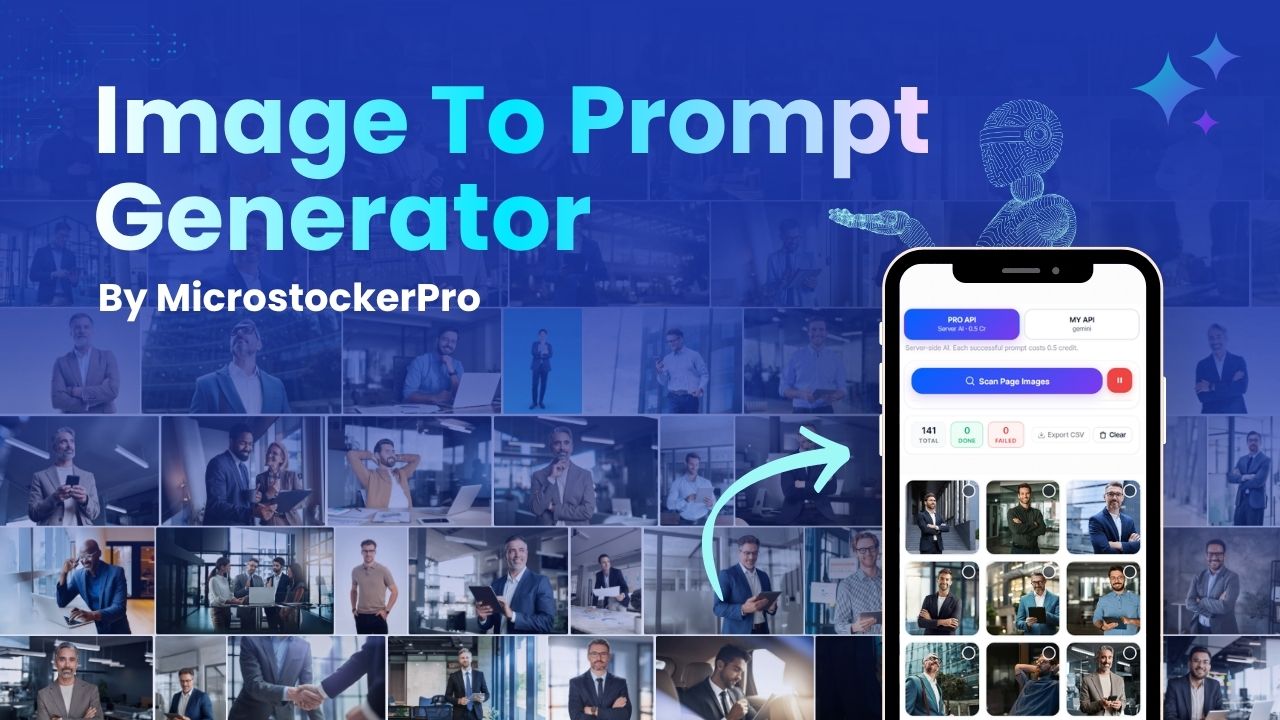
- Bulk Website Scanning: Visited an image gallery, a stock agency search page, or a creative portfolio? Click a single button to instantly scan the entire webpage and extract all visible images.
- Smart Grid Layout: Say goodbye to chaotic tab switching. The extension organizes every captured visual asset neatly inside an interactive dashboard grid, making browsing and multi-selection effortless.
- Batch Processing Power: Stop wasting time on individual files! Select specific images or hit "Select All" directly from your grid to generate highly descriptive prompts for dozens of images simultaneously.
- Universal AI Compatibility: The system deep-scans elements like lighting styles, color grading, perspective, and core subject structures. The resulting prompts are perfectly formatted and ready for execution in Midjourney, DALL-E 3, Recraft, and Stable Diffusion.
- Hybrid API Flexibility: MicrostockerPro empowers users with a dual-processing framework:
- PRO API Mode: Don't want to fiddle with technical setups? Use our high-speed, pre-optimized infrastructure for lightning-fast batch processing at just 0.5 credits per image.
- MY API Mode: Total platform freedom! Safely paste your own developer keys (such as Google Gemini, Groq, or OpenAI) into your dashboard and run unlimited prompt extractions using 0 platform credits.
- Workflow-Ready CSV Export: Download your generated data instantly. Perfect your asset management by exporting a clean CSV sheet containing both the newly minted text prompts and corresponding filenames—ideal for structural trend research.
🛠️ How It Works in 4 Simple Steps
Transforming your web browser into an automated prompt engineering machine is incredibly straightforward.
Step 1: Setup & API Configuration
First, download and install the official extension for your preferred browser:
- Download for Google Chrome: Chrome Web Store
- Download for Microsoft Edge: Microsoft Edge Add-ons Store
Once installed, head over to microstockerpro.com and register via Google or your email address.
🎁 Instant Bonus: Every single new user account receives 100 Starter Credits upon registration!
To link your browser to the platform, navigate to the 'Extension' tab on the website dashboard, generate your unique security token, and paste it into your extension settings panel. From there, pick your engine: use our blazing-fast PRO API or jump into MY API mode to connect your personal API keys.
Need a visual guide to get set up? Check out our step-by-step Video Tutorial on YouTube to get started in minutes!
Step 2: Scan Any Page
Navigate to any website or stock directory showing the visual styles you love. Launch the extension and click 'Scan Page Images'. In the blink of an eye, the page's image directory is pulled together into a clean grid view.
Step 3: Select & Bulk Generate
Tick the checkboxes of the images you wish to reverse-engineer (or click the entire grid batch). Hit 'Generate Prompt' and watch the artificial intelligence dissect the textures, lighting, and concepts, spitting out production-ready prompt strings.
Step 4: Export to CSV
Click 'Export CSV' to secure your newly generated database. With complete filtering control, you can choose to download just the prompts or pair them with raw system filenames to keep your creative projects neatly structured.
🎯 Perfect For
- AI Artists & Designers: Unlock the secret prompt formulas behind top-tier AI artwork and learn directly from existing visual inspirations on the web to level up your Midjourney, DALL-E, and Recraft skills.
- Microstock Contributors: Seamlessly research what's working in the commercial market. Analyze trending visual assets, study competitor aesthetics, and kickstart your brainstorming workflows without lifting a finger.
- Prompt Engineers: Dissect existing visual layouts, camera angles, and rendering keywords to master advanced prompt-writing mechanics.
Conclusion: Stop Guessing. Start Creating.
In a fast-paced creative ecosystem, relying on guesswork to build your AI artwork inputs holds you back.
With the Image to Prompt Generator - AI Bulk Generator Extension, you can continuously scan the web for inspiration, break down complex visual imagery, and compile clean CSV prompt guides in bulk. Take full advantage of our zero-setup PRO API infrastructure using your 100 free registration credits, or unlock ultimate scalability with MY API integration.
Work smarter, remove the creative friction, and elevate your generative AI capabilities today.
👉 Ready to level up? Download the extension now on the Chrome Web Store or the Microsoft Edge Add-ons Store, watch our full YouTube Setup Tutorial, and claim your 100 Free Credits today!