For digital artists, stock contributors, and generative AI creators, decoding the exact text formula behind a stunning image is a massive challenge. Staring at an AI-generated masterpiece and trying to guess the specific lighting parameters, camera styles, or rendering engines leads to hours of wasted rendering credits and creative frustration.
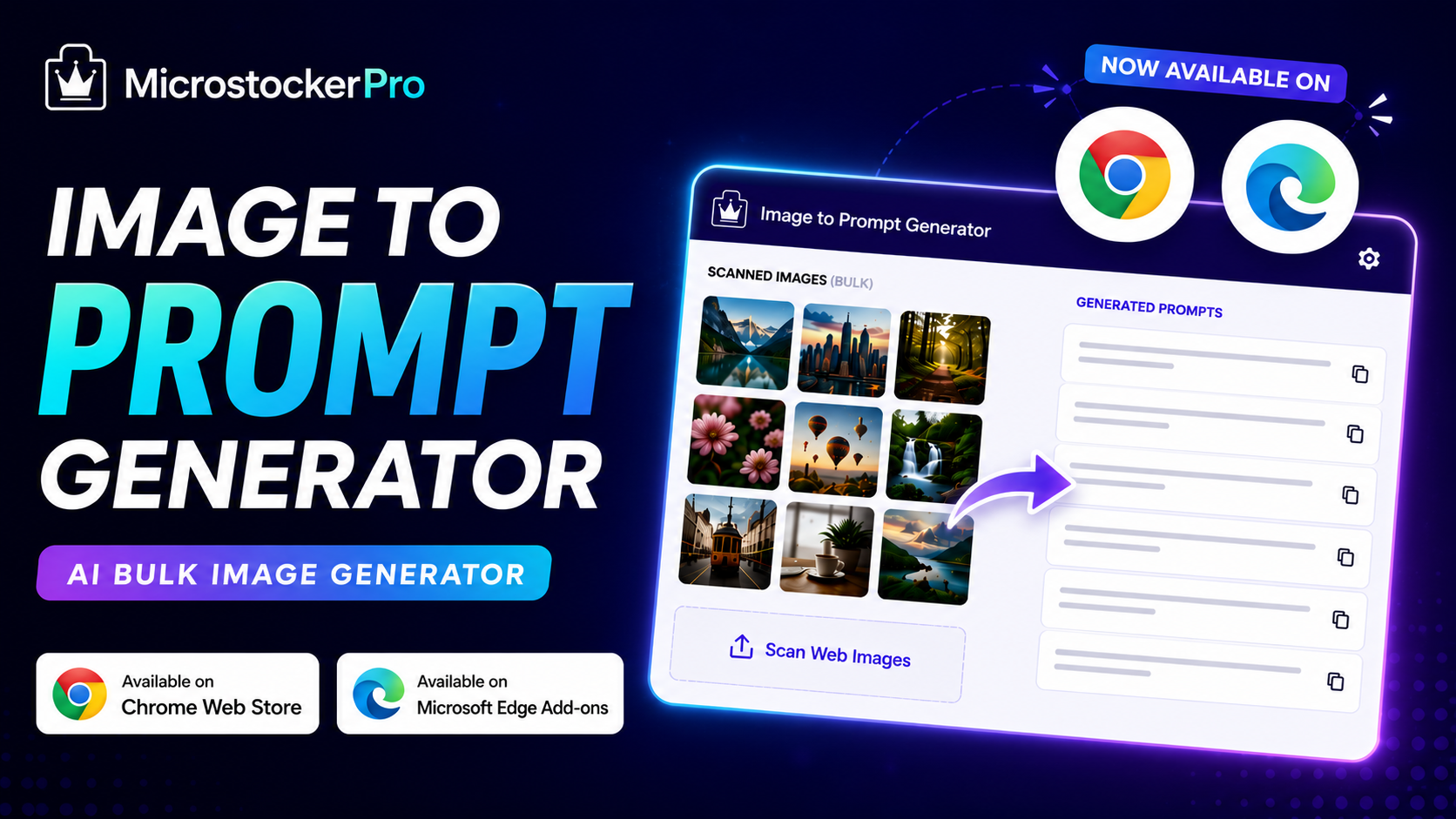
MicrostockerPro’s Image to Prompt Browser Extension solves this entirely. This powerful tool lives right in your browser, allowing you to instantly reverse-engineer any visual on the web into highly accurate, detailed prompts optimized for Midjourney, DALL-E 3, and Recraft.
🚀 Extract the Artistic DNA of Any Visual
Unlike basic image scrapers, this extension utilizes advanced computer vision via the AI Studio Panel layout to break down the technical layers of any online graphic:
- Stylistic Mediums: Instantly detects if an image is a 3D clay render, vector graphic, flat illustration, or cinematic photo.
- Camera & Lighting Data: Uncovers focal depths, studio lighting terms, volumetric effects, and exact composition styles.
- Bulk Webpage Scanning: Open the extension on any website to pull all visible images into an interactive grid layout for simultaneous batch processing.
💡 Dual-API Modes: Total Control Over Your Workflow
We believe in complete user autonomy, which is why the extension supports two highly flexible framework configurations:
1. 100% FREE Mode (No Limitations)
Connect your personal developer API keys (such as Groq, Google Gemini, or OpenAI) directly inside the extension settings. Once linked, you can extract unlimited text prompts from images completely free of charge, bypassing all platform restrictions.
2. High-Speed PRO API Mode
Skip the technical hassle of managing cloud keys. Toggle to our pre-configured infrastructure servers to process intensive visual batches with lightning speed.
🎁 Instant Sign-up Bonus: Every new user account created at microstockerpro.com automatically receives 100 Free PRO Credits to start testing the extension immediately!
🛠️ Get Started in 3 Simple Steps
Transforming your creative workflow takes less than two minutes:
- Install the Extension: Secure your package directly from the Chrome Web Store or the Microsoft Edge Add-ons Store.
- Scan and Select: Navigate to any online art portfolio or image gallery. Open the extension panel, click "Scan Page Images", and check the boxes of the aesthetics you want to replicate.
- Generate and Export: Click "Generate Prompt" to copy your new prompt strings instantly, or export your processed batch directly to a clean CSV manifest file.
Need a quick visual walkthrough to set up your API keys? Watch our complete step-by-step Video Tutorial on YouTube to maximize your production output from day one!