Best AI Microstock Keywording Tool & Metadata Generator: The Ultimate Workspace Inside AI Studio
Ask any high-earning microstock contributor about their biggest workflow bottleneck, and they will all give you the same answer: keywording, titles, and descriptions. Creating stunning commercial photographs, vector designs, or cinematic stock footage is the fun part. The real grind begins when you have to prepare a massive batch of files for submission across multiple stock agencies like Adobe Stock, Shutterstock, and Freepik.
Manually typing unique, SEO-optimized descriptions and finding up to 50 highly relevant keywords for every single asset is an absolute productivity killer. It stalls your production, causes submission delays, and burns you out.
What if you could hand over the heavy lifting to an advanced artificial intelligence that "sees" your images, while still retaining complete manual editing power over your asset sheets?
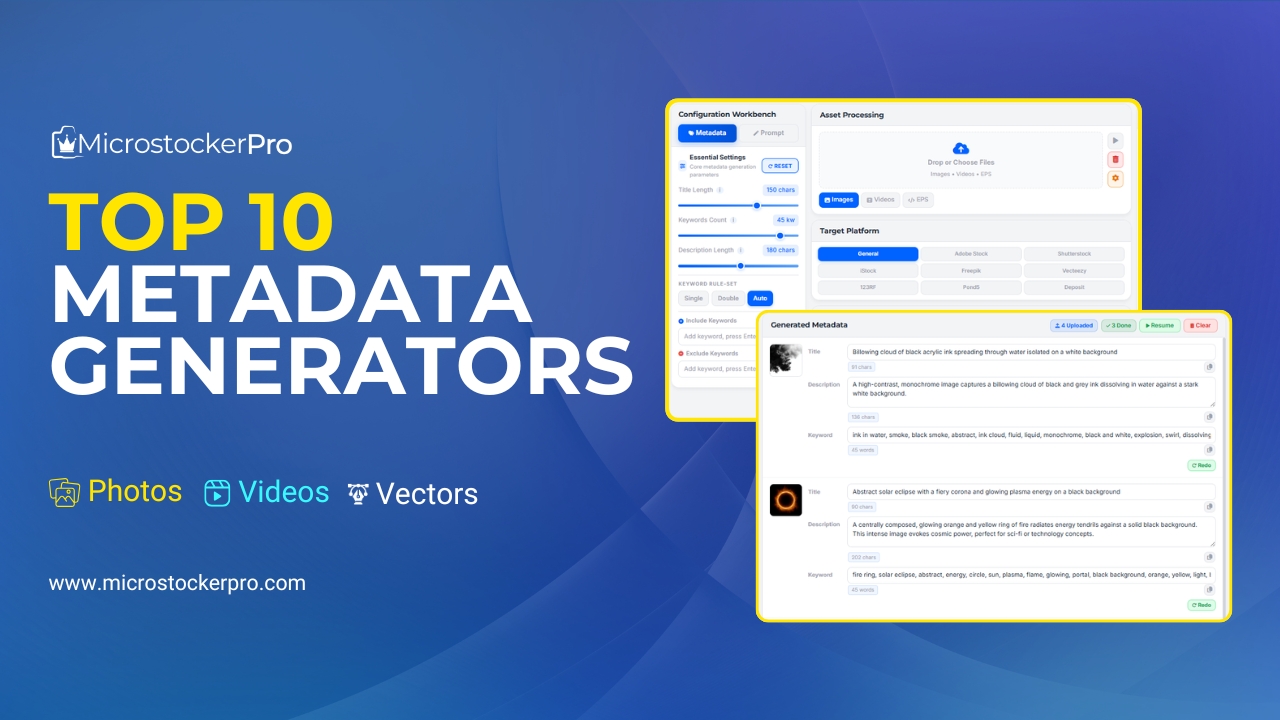
Welcome to the Metadata Workspace inside MicrostockerPro’s AI Studio—the ultimate browser-based solution that merges cutting-edge computer vision automation with high-speed bulk editing tools.
🚀 Built for Raw Speed and Total Control
Many legacy keyword utilities force you to generate tags one file at a time or rely on rigid desktop software that slows down your operating system. MicrostockerPro breaks those barriers by embedding a fully interactive, lightweight metadata manager right inside the cloud-based AI Studio Panel.
Once your batch of files is uploaded, the Metadata tab acts as your mission control center, offering features tailored specifically for high-volume power contributors:
1. Advanced Structural Search & Filtering
When you are managing dozens of assets within an active creation session, hunting for a specific file to adjust can feel impossible. The Metadata workspace features an interactive Search & Smart Filter Bar. You can immediately isolate your visual assets by typing specific keyword matches or searching by target file paths, keeping your layout perfectly organized.
2. High-Efficiency Grid View & Bulk Action Workspace
The user interface is stripped of distracting bloat to maximize your layout's visibility. You get a clean, scrollable grid tracking your active visual thumbnails right alongside their data sheets. You can effortlessly click individual metadata inputs to make precise manual tweaks, or select multiple assets simultaneously to push quick, bulk metadata updates across entire folders.
3. Hyper-Efficient Management Engine (Almost Zero Cost)
We believe that organizing, auditing, and fine-tuning your textual descriptions shouldn't bleed your wallet dry. While running complex AI computer-vision pipelines requires higher computational power, reviewing, filtering, and editing your data inside the Metadata tab runs on an optimized framework. Formatting and managing your text batches consumes virtually nothing, making it a highly cost-effective daily hub.
✨ Power Features Inside the Metadata Workbench
- Universal Drop-and-Load System: Drag and drop your project blocks (supporting Images, Videos, and EPS vector illustrations up to 50MB) directly into the processing panel.
- Dynamic Content Field Matching: Fine-tune generated outputs inside dedicated text fields for Title, Description, and Keywords—all equipped with live validation to ensure you match marketplace guidelines perfectly.
- One-Click Universal CSV Export: Once your metadata data sheets are completely optimized, hit a single button to generate a clean, universally compliant CSV file. Import this file directly into contributor portals or upload managers to publish your entire portfolio across 20+ global agencies simultaneously.
🛠️ How to Optimize Your Studio Metadata in 3 Simple Steps
Getting your assets marketplace-ready takes less than two minutes:
Step 1: Open Your AI Studio Metadata Tab
Log into your account dashboard at microstockerpro.com and head over to the AI Studio page. Click on the Metadata tab to see your visual assets laid out in a clean workspace grid.
🎁 Instant Onboarding Bonus: Signing up via Google or email immediately credits your wallet with 100 Free Starter Credits!
Step 2: Bulk Filter and Polish Your Tags
Use the integrated search bar to isolate similar imagery. Select your target asset row, double-check the AI-generated descriptions, or manually type in specific niche keyword phrases that commercial buyers actively look for.
Step 3: Trigger the Global Export
Review your visual batch to ensure everything looks flawless. Click "Export CSV" to download your structured metadata guide. Drop this manifest sheet right into your stock dashboard, bypass manual submission fields, and watch your files go live in seconds.
Conclusion: Stop Typing. Start Automating.
In the fast-moving microstock industry, efficiency separates casual hobbyists from high-earning digital professionals. Spending your evening manually typing keywords into endless online boxes is a relic of the past that caps your earning potential.
By leveraging MicrostockerPro's built-in AI Studio Metadata Workspace, you gain the best of both worlds: high-speed artificial intelligence asset tagging combined with a flexible, clean manual review dashboard. Reclaim your creative time, fix your workflow bottlenecks, and scale your digital portfolio with zero friction.
👉 Ready to transform your upload process? Launch the MicrostockerPro AI Studio Dashboard right now, drop your next creative batch into the Metadata tab, and claim your 100 Free Credits to start dominating the market!